Code · Mac and iPhone app
AppleNugs
An unofficial Mac and iPhone app for your own nugs.net subscription, with a real queue, gapless segues, lossless audio where nugs offers it, and offline shows on the phone.
Download for Mac → Source on GitHub → v1.5 · free · MIT
§ What it does
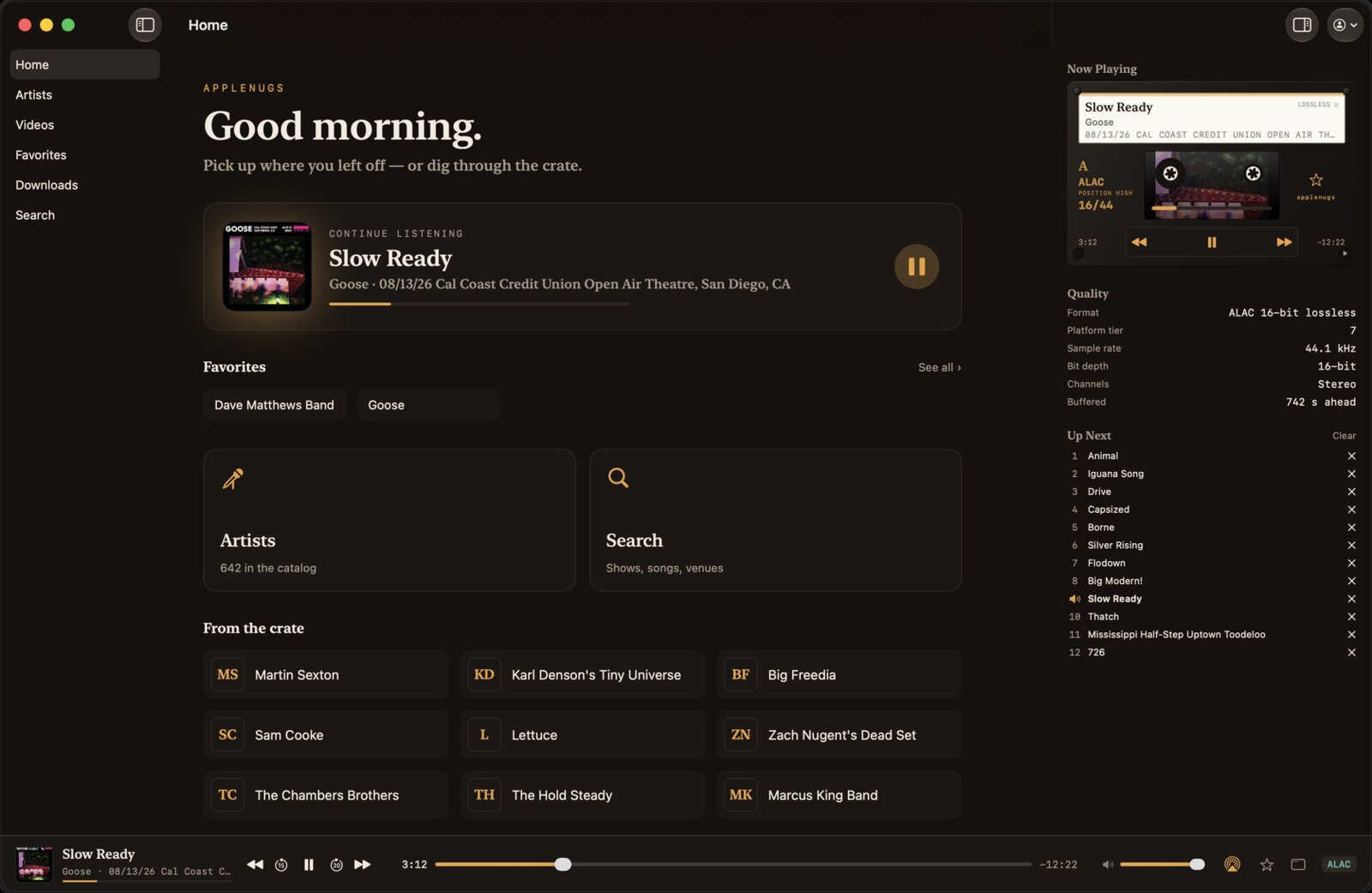
Live sets run long and songs segue into each other, so a gap between tracks or a weak queue breaks the music. AppleNugs keeps the next track ready while the current one plays, so segues land without a gap, and plays lossless ALAC or FLAC wherever nugs offers it.
It signs in with your own nugs.net account and talks to nugs.net directly, with nothing in between. The quality readout comes from the decoder, so if it says ALAC 24/96, it is ALAC 24/96.
§ Features
- Gapless segues and a real queue you can reorder and clear.
- Lossless playback where nugs offers it, with a measured quality readout.
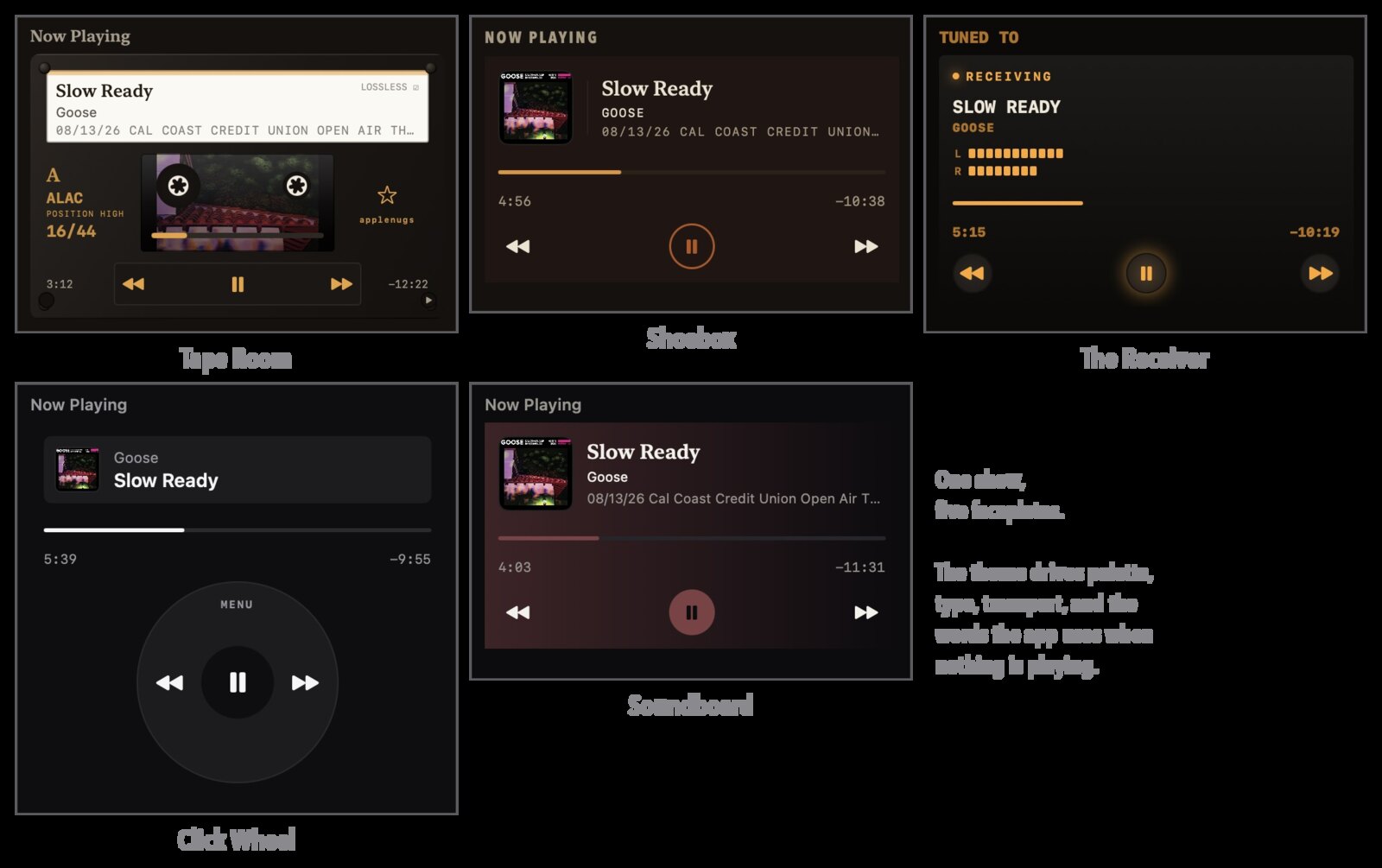
- Five themes: Tape Room, Shoebox, The Receiver, Click Wheel and Soundboard.
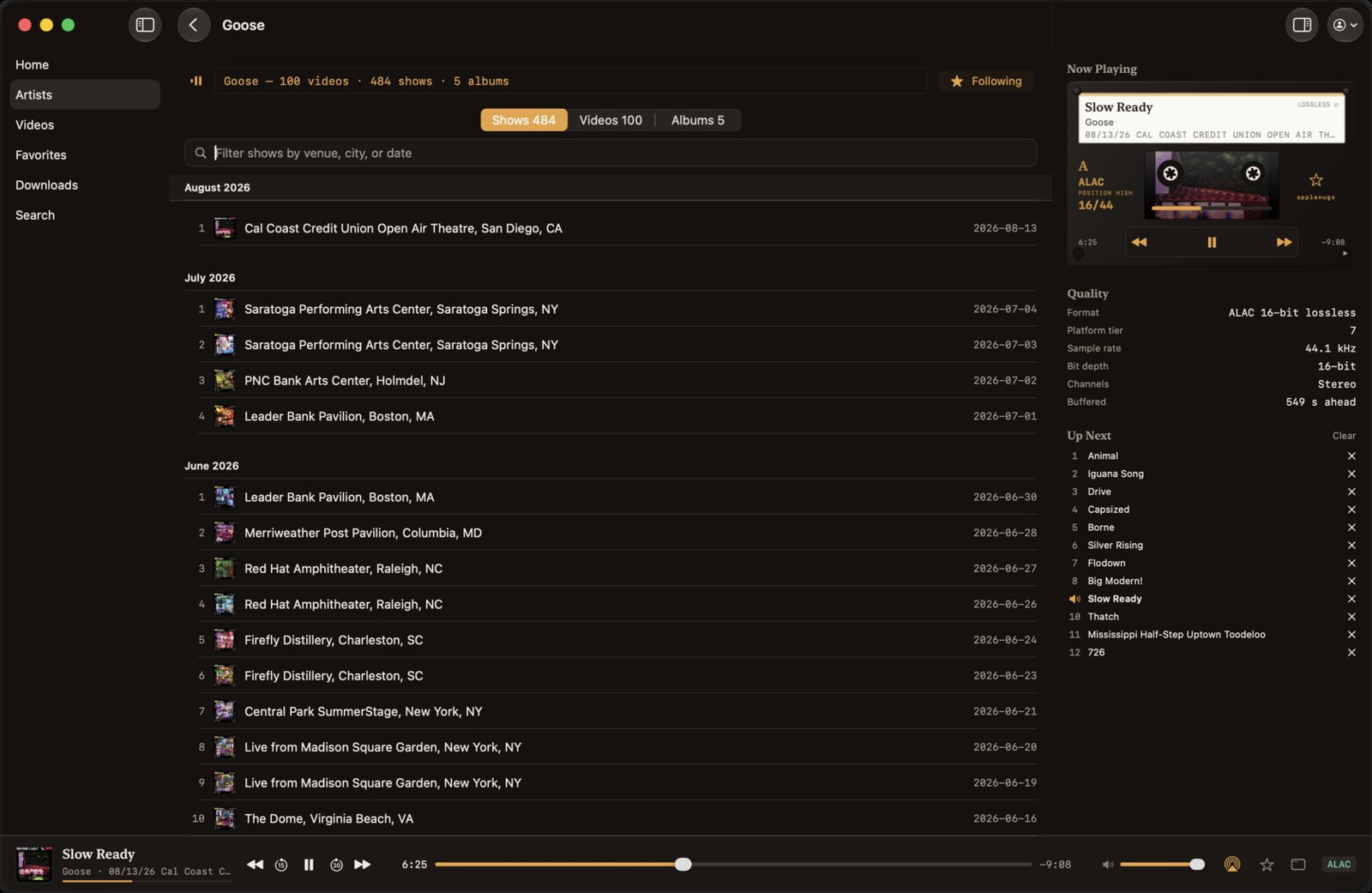
- An artist's shows as a filterable list by venue, city or date.
- Video: Continue Watching, Live & Upcoming, chapters, and full screen on the Mac.
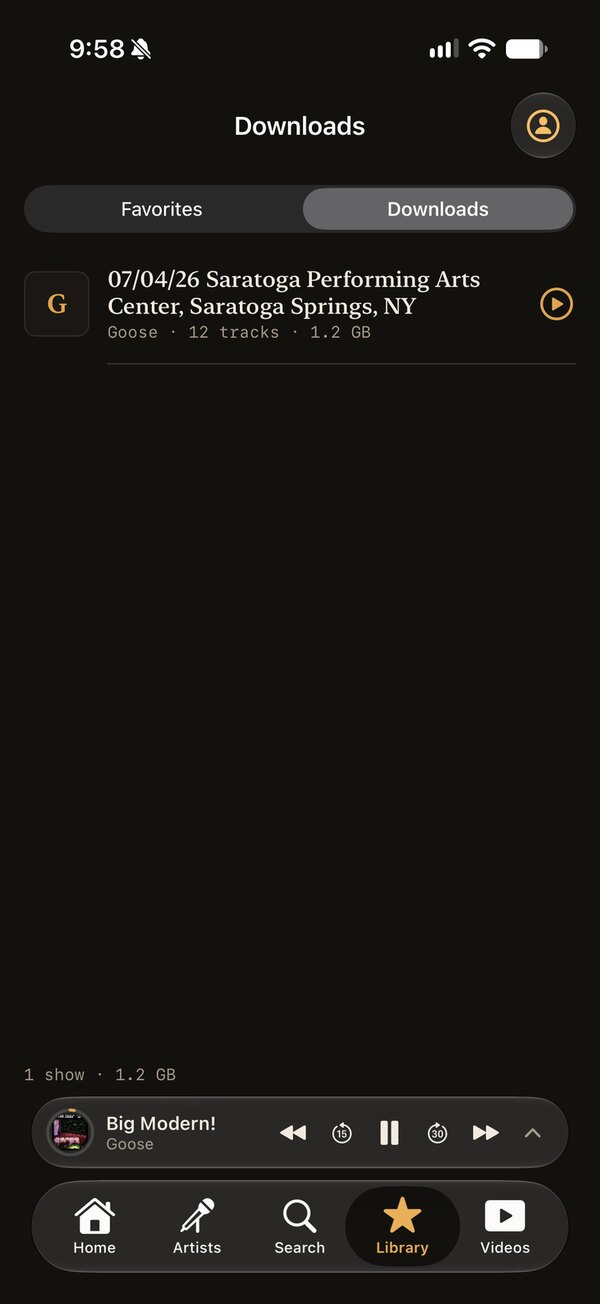
- iPhone: offline shows, background audio, lock-screen controls and Picture in Picture.
- Media keys, Control Center, AirPods, AirPlay and keyboard shortcuts.
§ At a glance
| Mac | macOS 14 or later |
| iPhone | Build it yourself · iOS 26.1+ |
| Version | 1.5 · Aug 18, 2026 |
| Price | Free · needs nugs.net |
| License | MIT, code only |
| Updates | Sparkle, built in |
§ Not affiliated
AppleNugs is an independent client. It isn't affiliated with, authorized, sponsored, or endorsed by nugs.net. It signs in with your own account and plays exactly what your subscription already entitles you to. Shows saved for offline listening stay inside the app on your own device. It redistributes nothing and circumvents no DRM. You're responsible for following the nugs.net Terms of Service.
§ Questions
- Is AppleNugs an official nugs.net app?
- No. It's an independent client that signs in with your own nugs.net account.
- Can I listen offline?
- On the iPhone, yes. Whole shows download in the best lossless format offered and play with no network, gapless included.
- Is the iPhone app in the App Store?
- No. You build it yourself and run it on your own device. There's no App Store or TestFlight build.
- How does the Mac app update?
- Through Sparkle. Install the signed DMG once and it updates itself. Check for Updates… is in the app menu.